
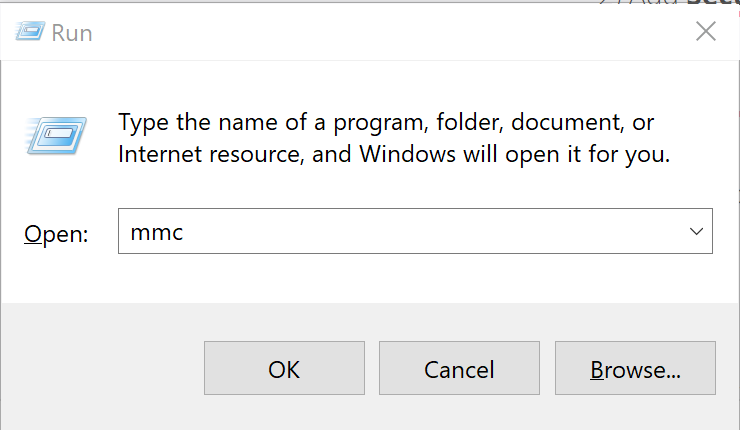
1) Open MMC
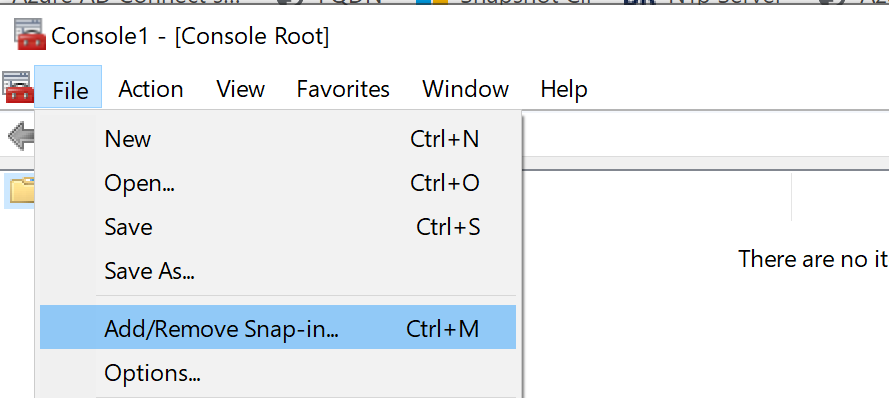
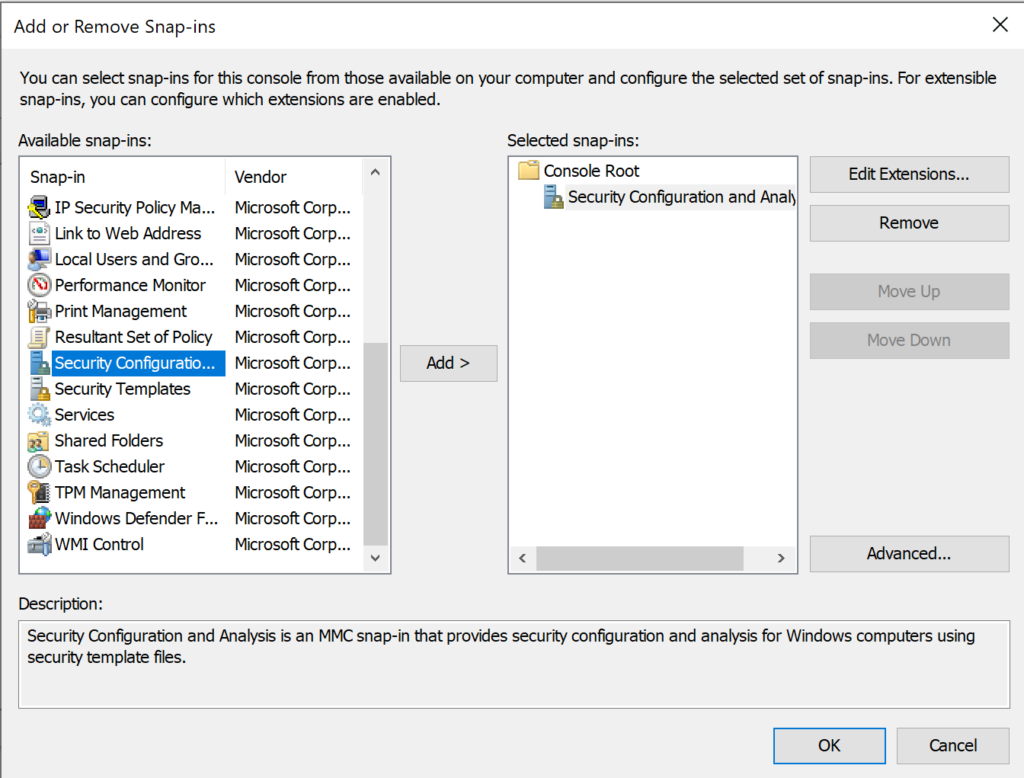
2) Add Security Configuration and Analysis tool
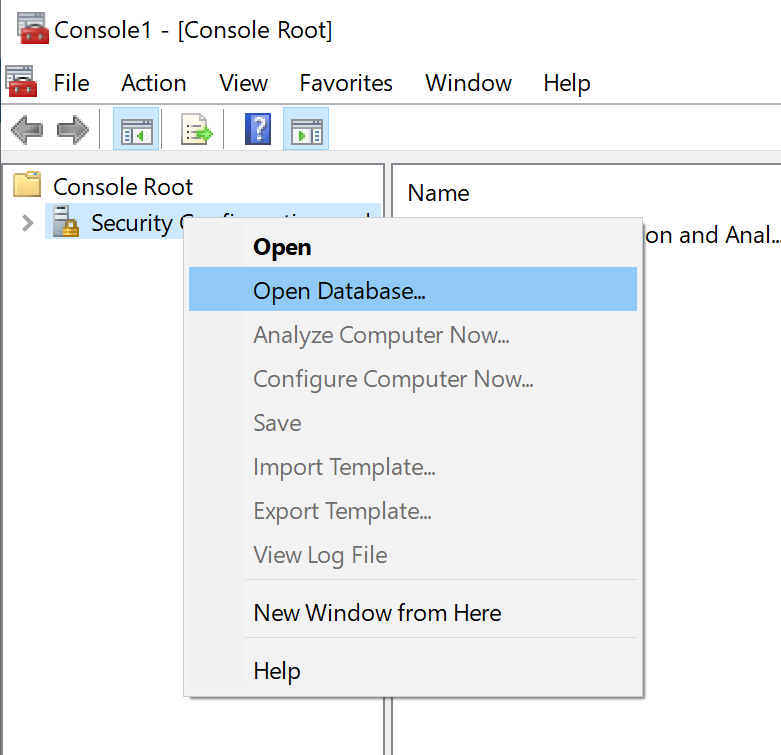
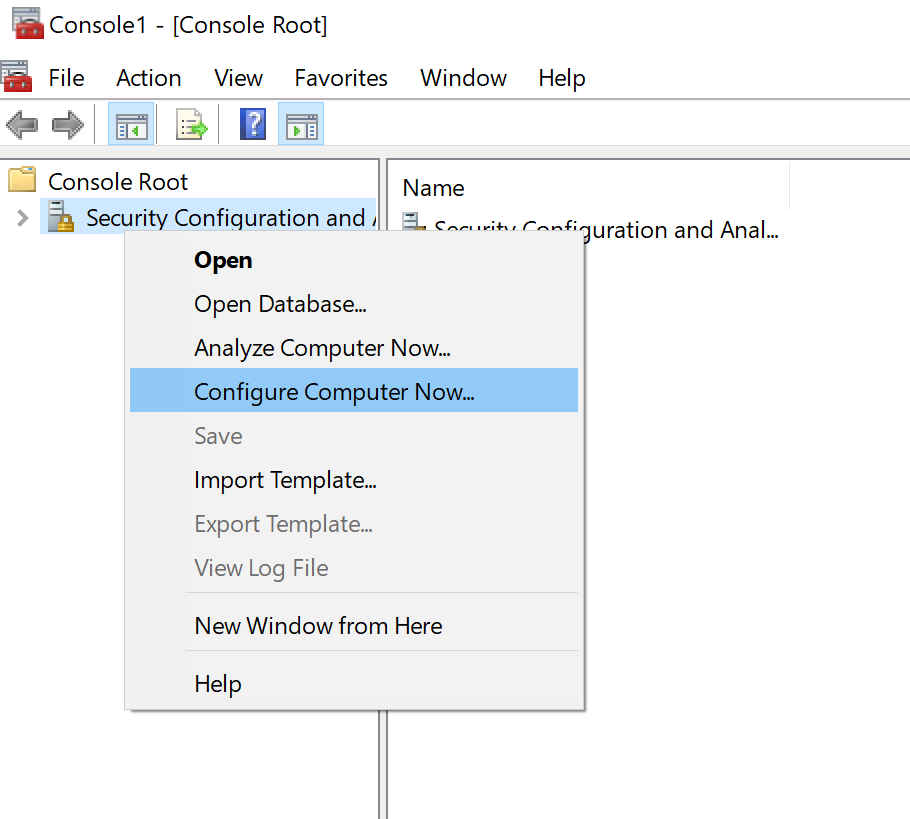
3) Right click Security Configuration and Analysis in the left pane and Select open database
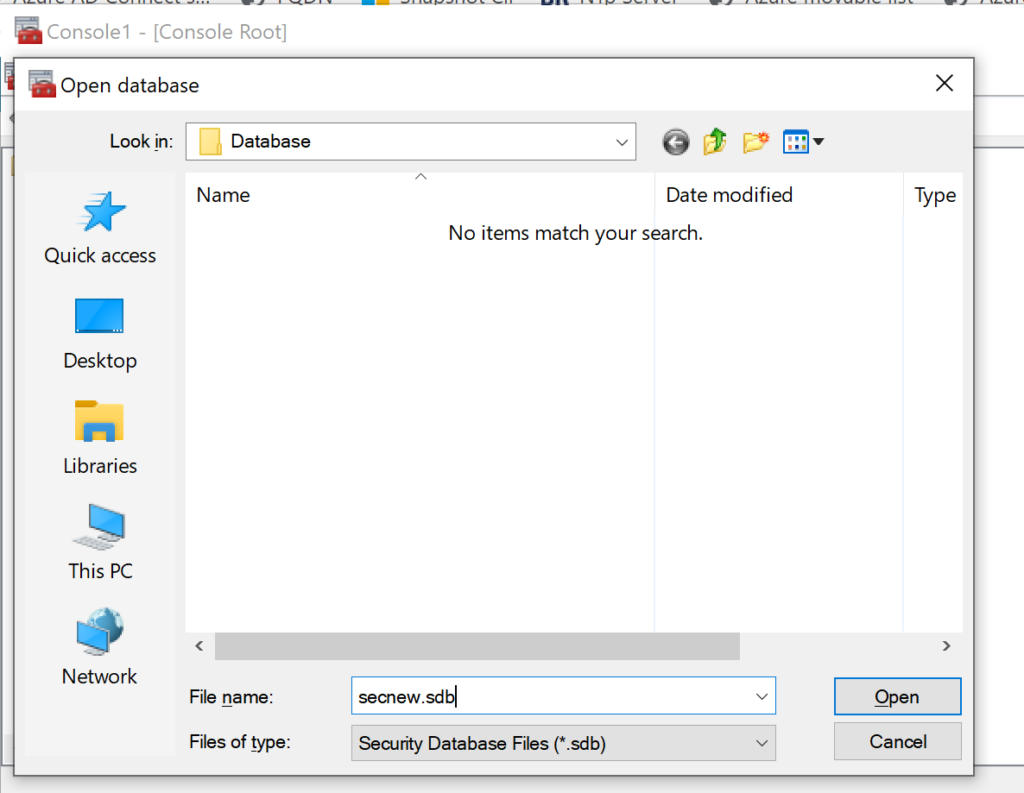
4) In the file name, type in secnew.sdb, click open.
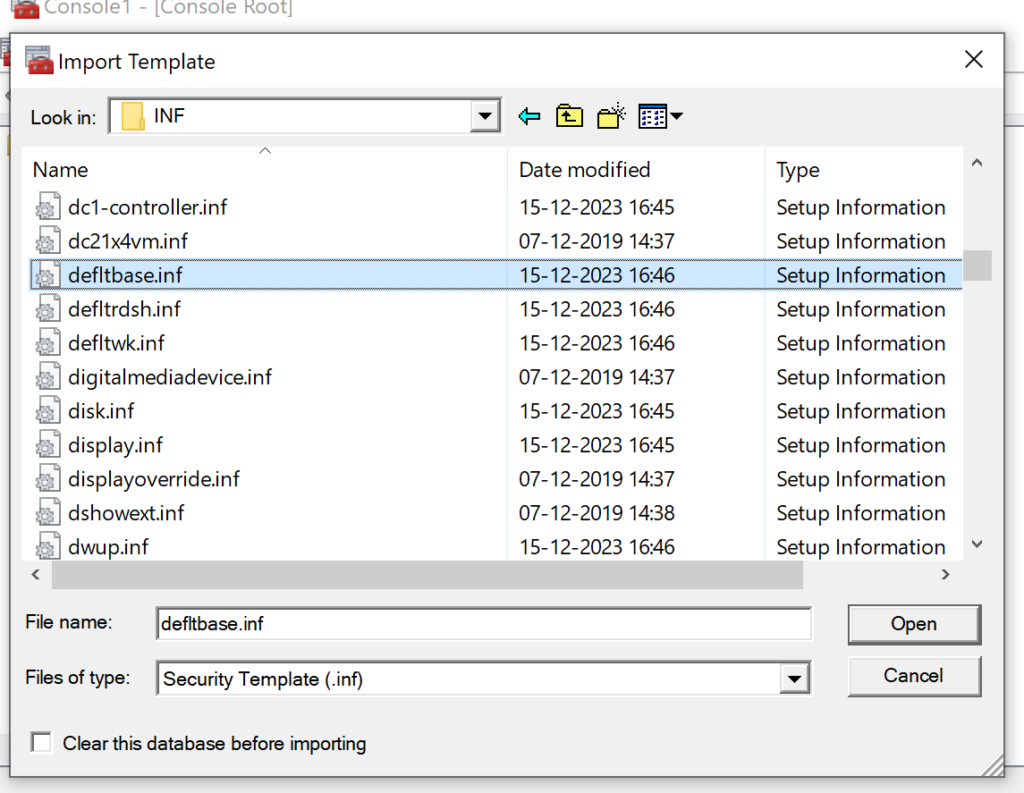
5) Select setup defltbase.inf as the template from the location C:\Windows\inf, and click open.
6) Right click Security Configuration and Analysis in the left pane and Select Configure Computer Now
7) Reboot the machine.
8) Nw try to rejoin the machine to the domain using domain admin credentials.