
Add A New UPN Suffix to Active Directory
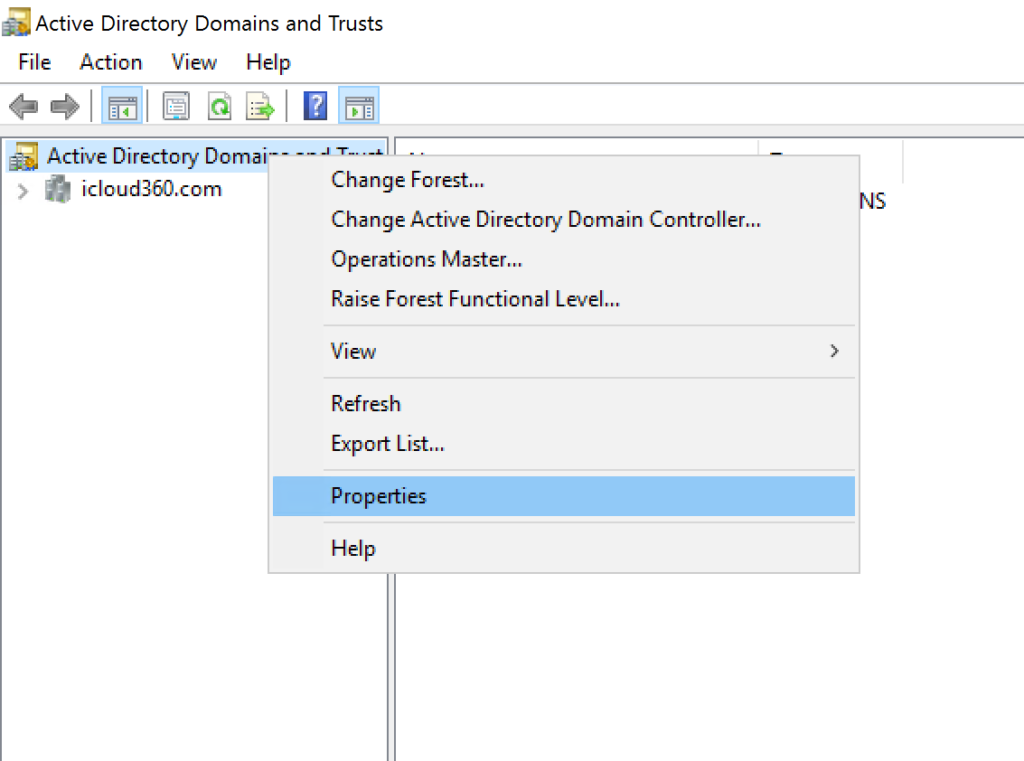
- Open Active Directory Domain and Trusts console
- Right click Active Directory Domain and Trusts -> Properties
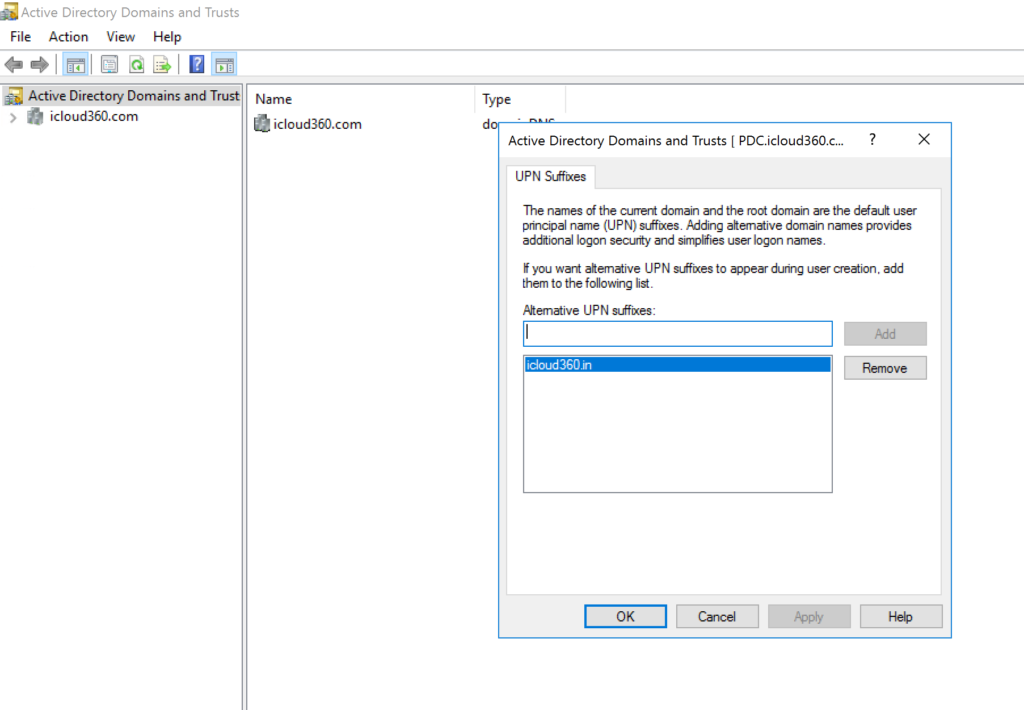
- Add the domain you would like to use
Get Domain Suffixes Currently In AD
#Get UPN Suffix using Powershell

Get-ADForest| select UPNSuffixes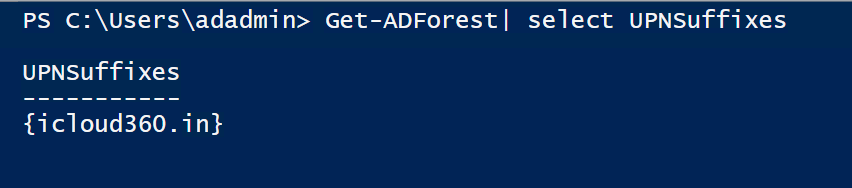
Change UserPrincipalName of all the Users in Domain with PowerShell
#Specify UPN Domain
$Domain = 'icloud360.in'

#Get list of samaccountnames in our targeted OU
$UserList = Get-ADUser -Filter * -SearchBase 'DC=icloud360,DC=com' | `
select -ExpandProperty SamAccountName

#Change UPN Suffix from sub domain to primary domain
foreach ($User in $UserList) {
    Get-ADUser $User | Set-ADUser -UserPrincipalName "$User@$Domain"
}
Change UserPrincipalName of Single Users in Domain with PowerShell
#Change UPN for a single user using Powershell
$Domain = 'icloud360.in'
$User = 'sheik'
Get-ADUser $User | select Name, UserPrincipalName

Get-ADUser $User | Set-ADUser -UserPrincipalName "$user@$domain"

Get-ADUser $User | select Name, UserPrincipalName