
A typical Event ID you may see when checking RDP connection event logs is Event ID 40. Event ID 40 is registered whenever a session is disconnected, that could be an interruption or the user disconnecting or logging off. Within the event text, we are given a reason code, which gives us detail on the disconnection, as shown in the following picture.
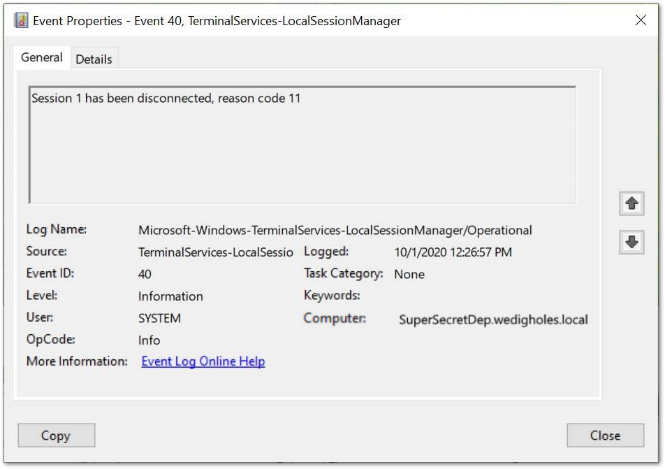
Most often, you’ll see the full error message Session has been disconnected, reason code 0/2/5/11/12. There are definitions for all codes:
- Code 0 means that there is simply no additional information available for the disconnection.
- Code 2 is similar to code 11; it is logged when an administrative tool was used to disconnect the session from another session.
- Code 5 is generated when a user connects to the device using the same login but the system does not enable multiple concurrent sessions, causing another current connection to be disconnected.
- Code 11 is registered when the user disconnecting from the session initiates the disconnection. This might be due to the user shutting the RDP window or to the usage of an administrative tool from the same session, such as the logoff command in CMD or a batch file, to force the disconnect.
- Code 12 is registered when the disconnection was initiated by the user logging off their session on the machine.