
Login to the Exchange Admin Center
– Expand Mail flow
– Select Rules
– Click on the plus and select Create a new Rule

– Give the rule a name
– Click on Apply this rule if
– Choose The sender… is external/internal
– Select Outside the organization
– Choose The recipient is … external/internal
– Select Inside this organization
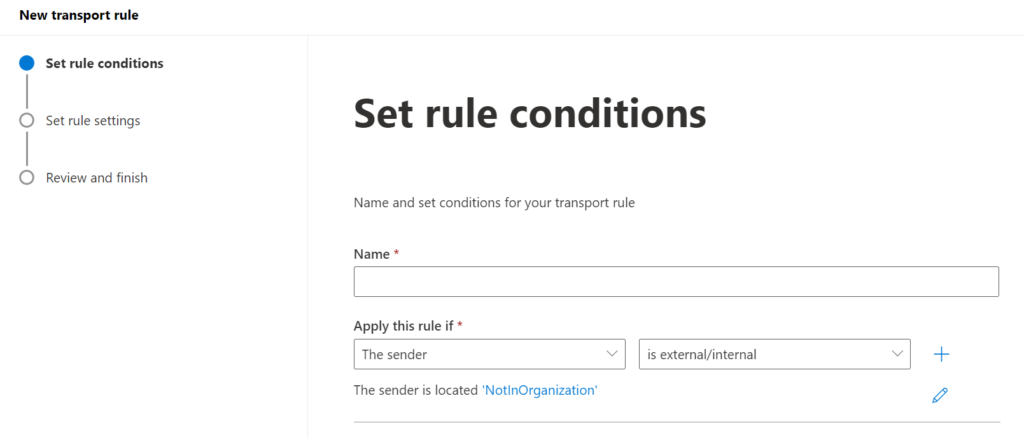
– Click on Do the following
– Choose Apply a disclaimer to the message
– Select Prepend the disclaimer…
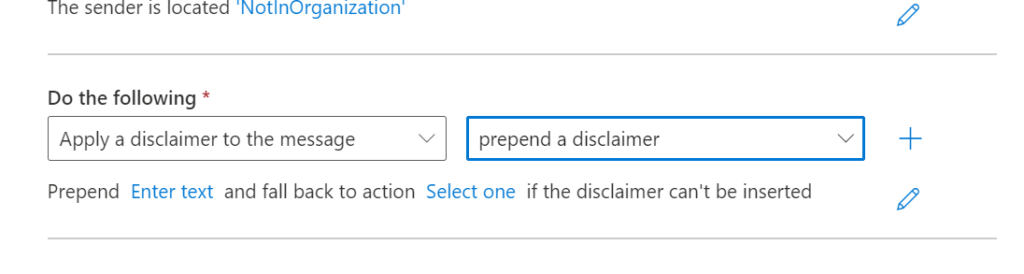
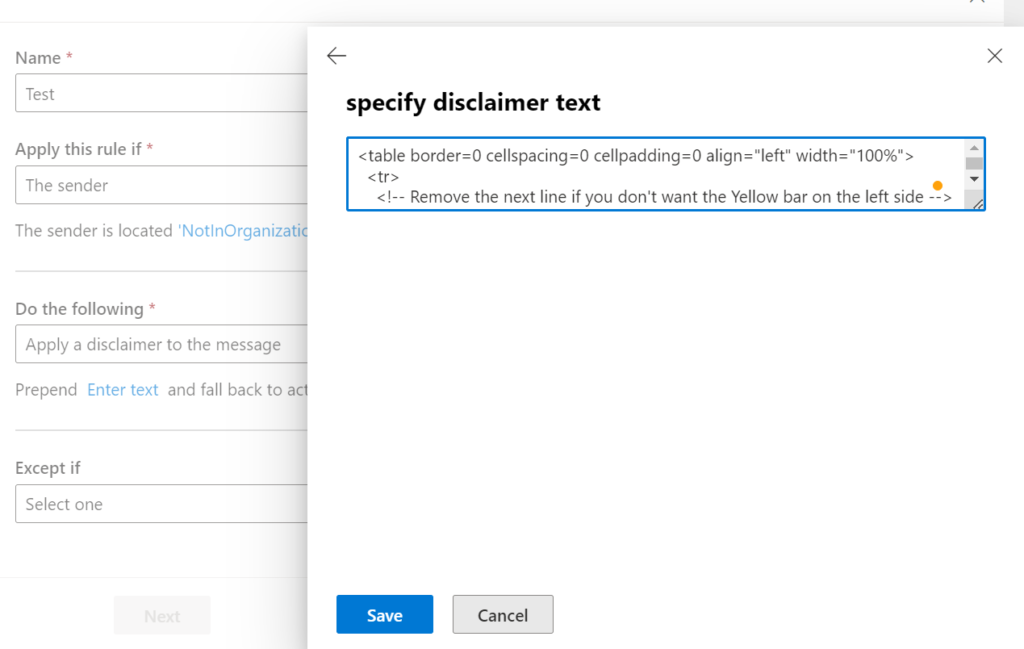
– Click on Enter text…
– Paste the HTML code from above into the text box
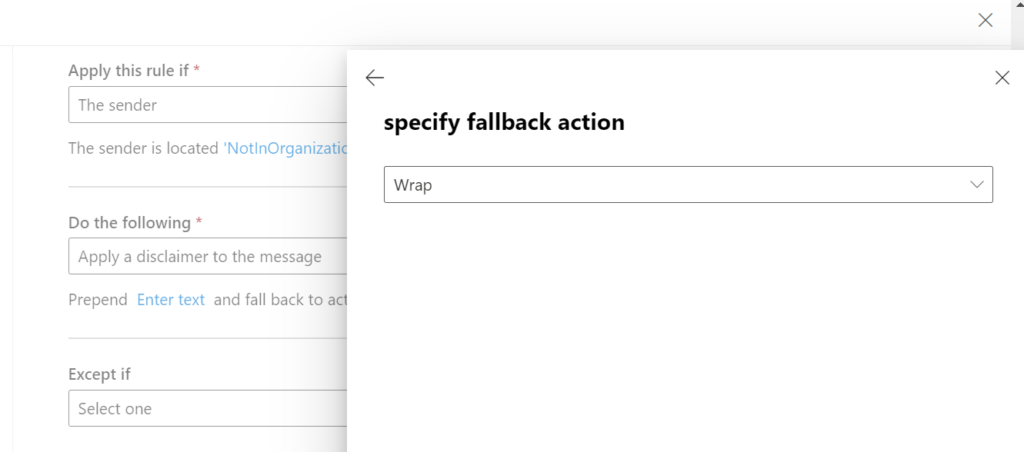
– Click on Select one.. and set the fallback action to Wrap
Here are a few examples of the Caution banners.
Simple Text banner with Bold letter in red
<div style="border: 2px solid black; padding: 10px; background-color: white;">
<span style="color:red;"><strong>CAUTION:</strong> This email originated from an <strong>EXTERNAL</strong> sender. Do not click links or open attachments unless you expect the email and know the contents are safe.</span>
</div>
Yellow warning banner
<!-- Yellow caution banner -->
<table border=0 cellspacing=0 cellpadding=0 align="left" width="100%">
  <tr>
    <!-- Remove the next line if you don't want the Yellow bar on the left side -->
    <td style="background:#ffb900;padding:5pt 2pt 5pt 2pt"></td>
    <td width="100%" cellpadding="7px 6px 7px 15px" style="background:#fff8e5;padding:5pt 4pt 5pt 12pt;word-wrap:break-word">
      <div style="color:#222222;">
        <span style="color:#222; font-weight:bold;">Caution:</span>
        This is an external email and has a suspicious subject or content. Please take care when clicking links or opening attachments. When in doubt, contact your IT Department
      </div>
    </td>
  </tr>
</table>
<br />
Blue information bar
<table border=0 cellspacing=0 cellpadding=0 align="left" width="100%">
  <tr>
    <td style="background:#00A0d2;padding:5pt 2pt 5pt 2pt"></td>
    <td width="100%" cellpadding="7px 6px 7px 15px" style="background:#e5f5fa;padding:5pt 4pt 5pt 12pt;word-wrap:break-word">
      <div style="color:#222222;">
        <span style="color:#222; font-weight:bold;">Caution:</span>
        This is an external email and has a suspicious subject or content. Please take care when clicking links or opening attachments. When in doubt, contact your IT Department
      </div>
    </td>
  </tr>
</table>
<br/>
White background warning
<table border=0 cellspacing=0 cellpadding=0 align="left" width="100%">
  <tr>
    <td style="background:#dc3232;padding:3pt 1pt 3pt 1pt"></td>
    <td width="100%" cellpadding="3px 6px 3px 15px" style="background:#ffffff;padding:3pt 4pt 3pt 12pt;word-wrap:break-word">
      <div style="color:#222222;">
        <span style="color:#222; font-weight:bold;">Important:</span>
        This is contains a suspicious subject or content. Do not click any link and do not open attachments unless you have confirmed the sender.
      </div>
    </td>
  </tr>
</table>
<br />
Source