This issue may occur if the computer boots without a configured dump file. The default dump file is the pagefile. During a clean Windows OS installation, the very first boot will hit this condition as the pagefile has not been set up yet.
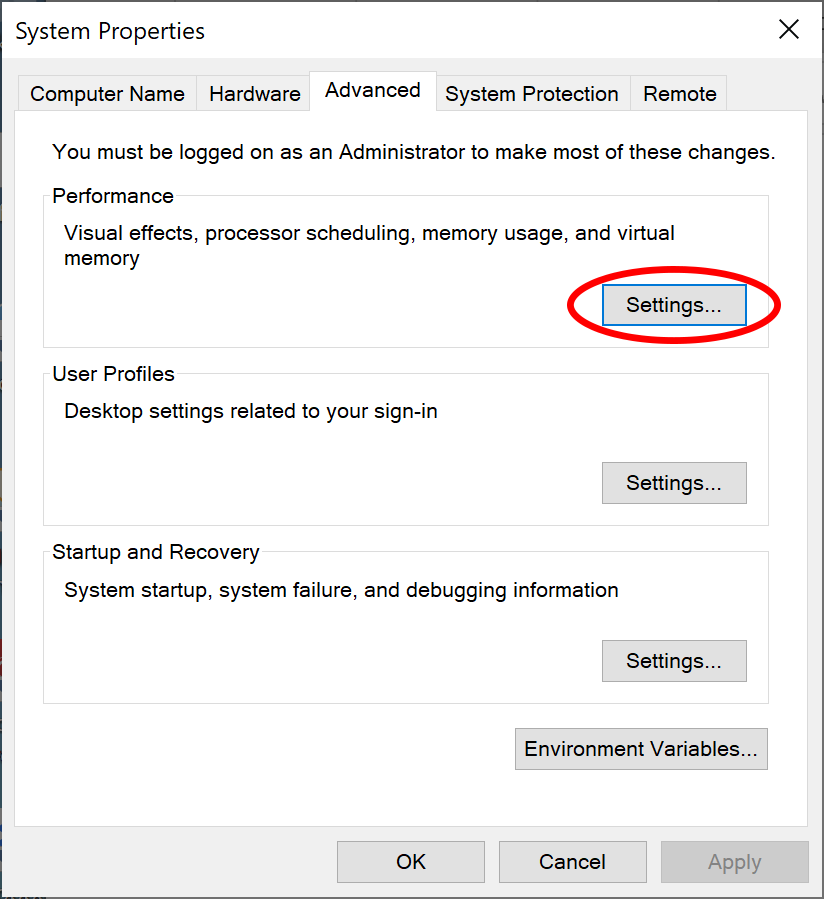
- Click on “Run as administrator.” You’ll see the advanced properties page:
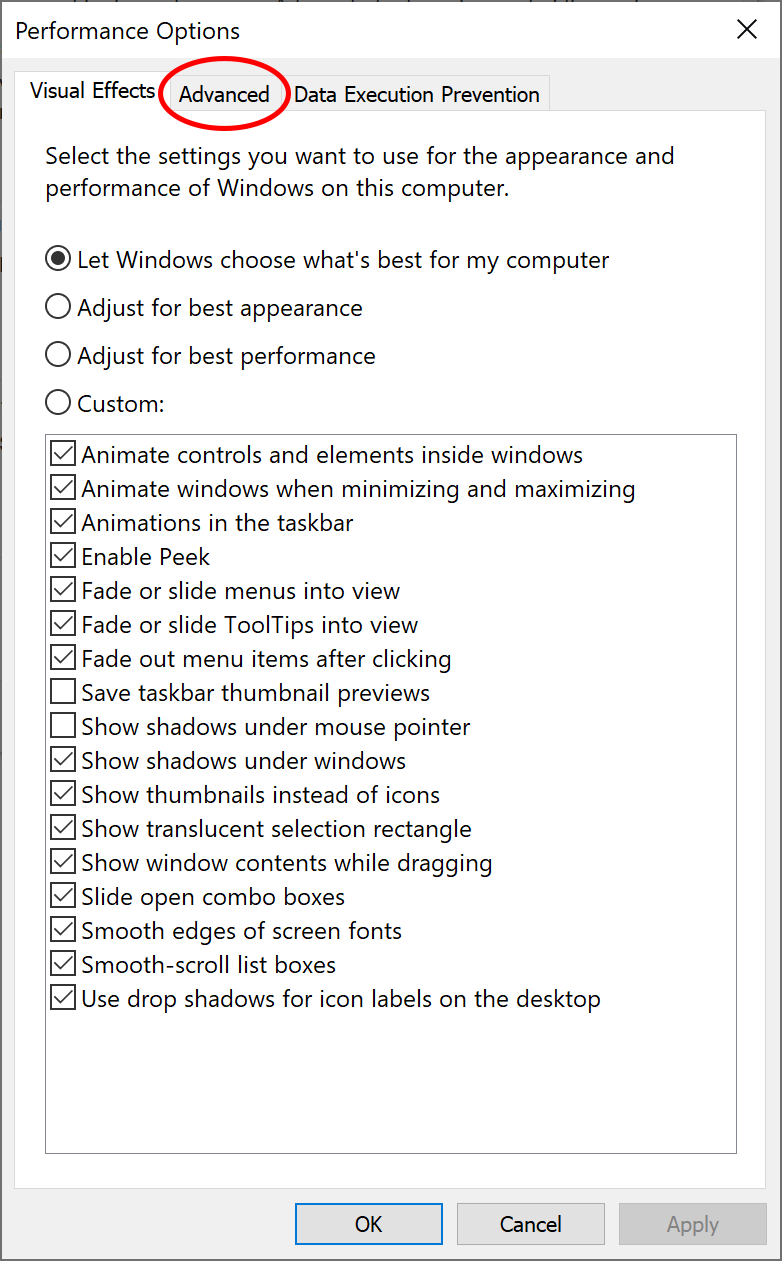
- Click on “Settings..” You’ll see the performance options tab.
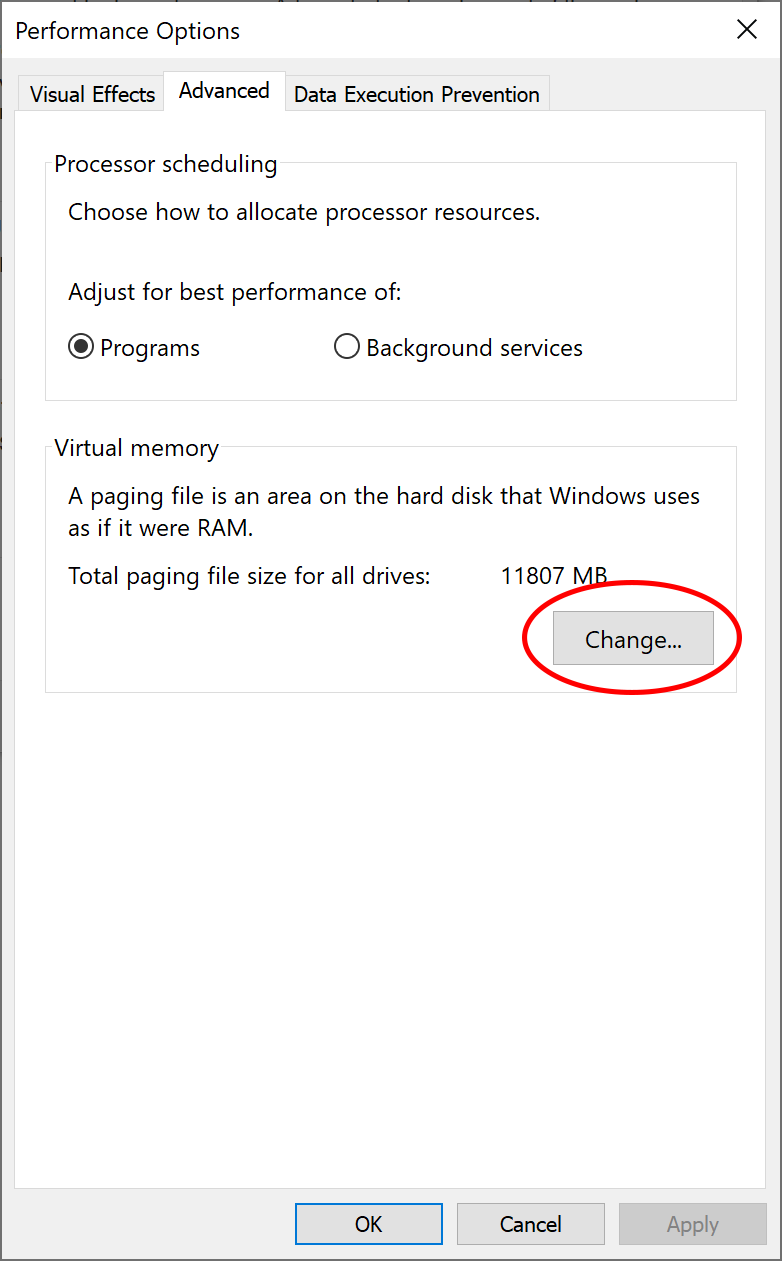
- Select the “Advanced” tab.
- Select “Change…”.
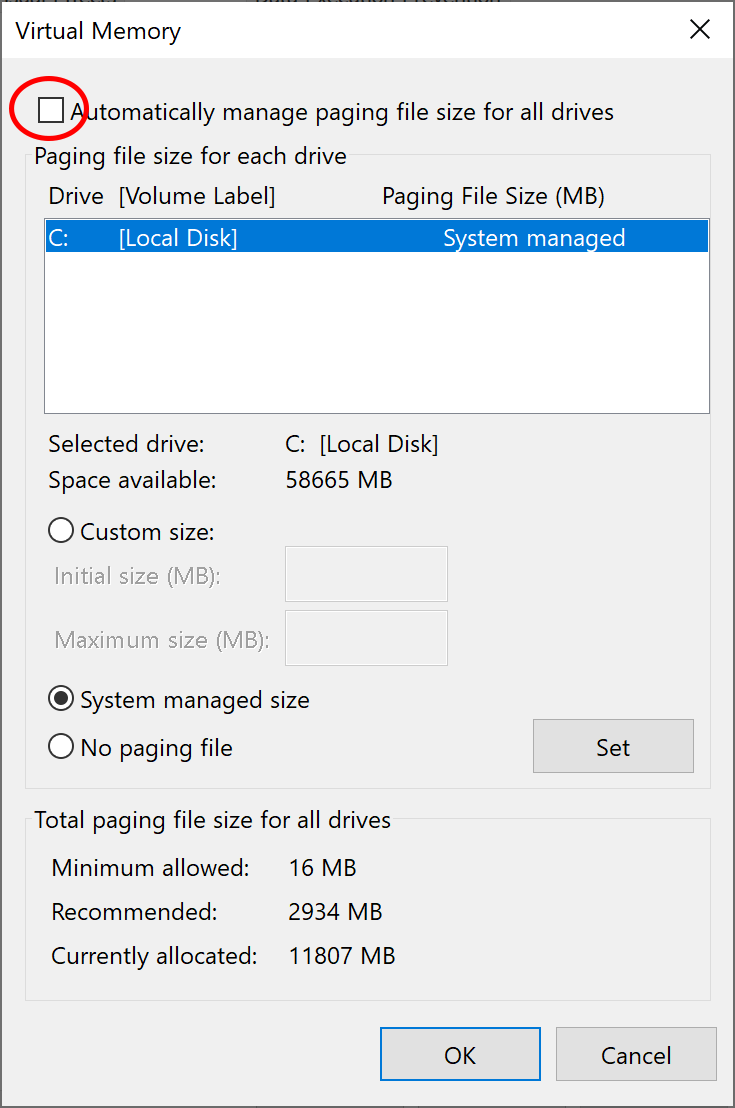
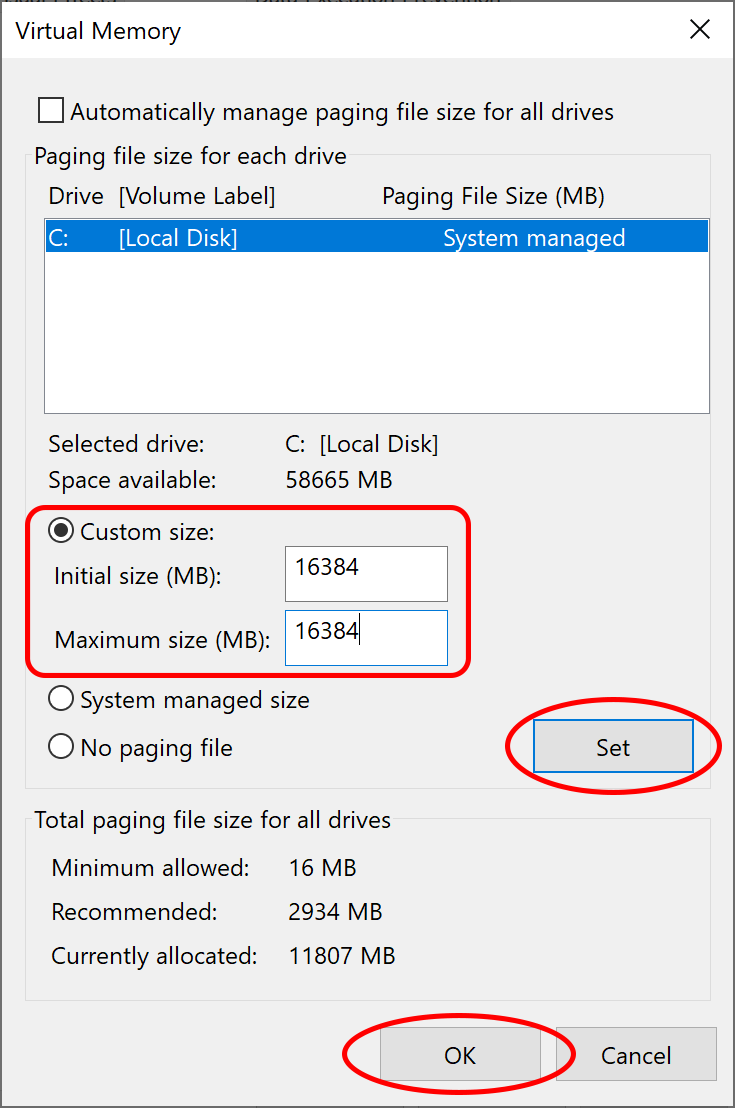
- Make sure the checkbox “Automatically managing paging file size for all drives” is not checked, as shown above. Then select “Custom size:” and fill in an appropriate size. (If you are doing this because of a message from “How to Enable Kernel Memory Dumps”, be sure to select the drive mentioned in the alert box, and also set the initial size according to the alert box.)
- Press “Set”, press “Ok”, then exit from the Virtual Memory, Performance Options, and Systems Properties Dialog.
- Reboot your system.