- Login on Microsoft Intune admin center.
- Go to Devices > Configuration profiles.
- Click on + Create Profile
- Select Platform as Windows 10 and later.
- Profile type: Settings Catalog
Basics Tab
In basics tab, we will provide information about the device configuration profile like Name and Description.
- Name –Microsoft Public App store Restrict
- Description –
Configuration settings
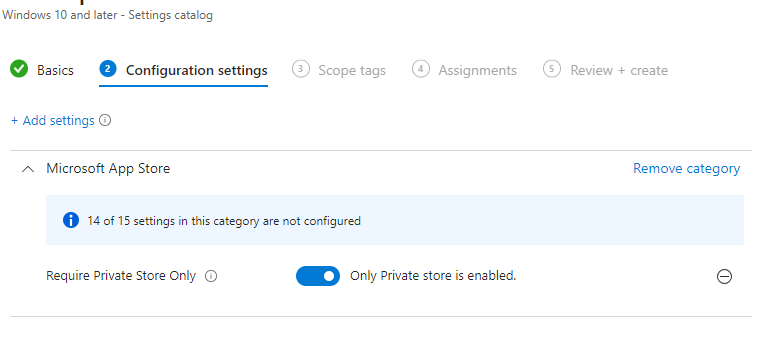
Click on + Add settings and then search for Microsoft App store. This should list all settings related to Microsoft App store. Check Require Private Store Only and toggle the setting to Enable.
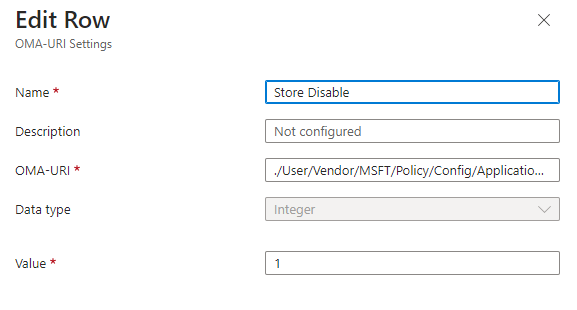
OMA-URI setting to block Microsoft Store
- Name: Disable MS Store
- OMA-URI: ./User/Vendor/MSFT/Policy/Config/ApplicationManagement/RequirePrivateStoreOnly
- Data Type: Integer
- Value: 1