
Prepare your files to copy
Prepare a folder and add all the necessary files that you want to copy to managed devices.
Create a cmd file
Next, create a cmd file with the instructions to copy all the files previosuly added and place it on the same folder.
For our deployment we used the files as shown below:
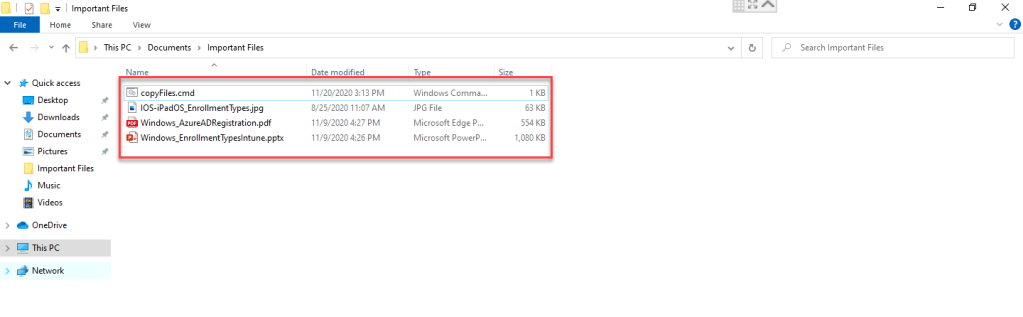
The copyFiles.cmd file contains the following lines:
copy /Y .\Windows_EnrollmentTypesIntune.pptx %systemRoot%\
copy /Y .\Windows_AzureADRegistration.pdf %systemRoot%\
copy /Y .\IOS-iPadOS_EnrollmentTypes_.jpg %systemRoot%\
Run the Intune Utility to prepare the intunwin package
Download the Microsoft Intune Win32 App Upload Prep Tool and extract it to C:\Temp\ IntuneAppTool. You can download it here.
Create the output folder for the .intunewin package. For this example, we used the folder: C:\Users\gianelliadmin\Documents\ImportantFiles
Run powershell as admin and move to the directory where IntuneWinAppUtil was extracted to. For this example, the utility was located in C:\Temp\Microsoft-Win32-Content-Prep-Tool-master\
Run the utility using the directories accordingly..\IntuneWinAppUtil.exePlease specify the source folder: C:\Users\gianelliadmin\Documents\ImportantFilesPlease specify the setup file: copyFiles.cmdPlease specify the output folder: C:\Users\gianelliadmin\Documents\ImportantFilesDo you want to specify catalog folder (Y/N)?N

Create a Windows (Win32) app in Endpoint Manager
Upload the intune.win package and use the commands below:
1.Select the intunewin package and add the app information

2. Specify the install and uninstall command. This should be the name of the cmd file.

3. Specify the requirements

4. Add the detection rules. The path to place the files, File or Folder to add the name of at least one file and the Detection method select file or folder exists.

5. Scope the managed devices
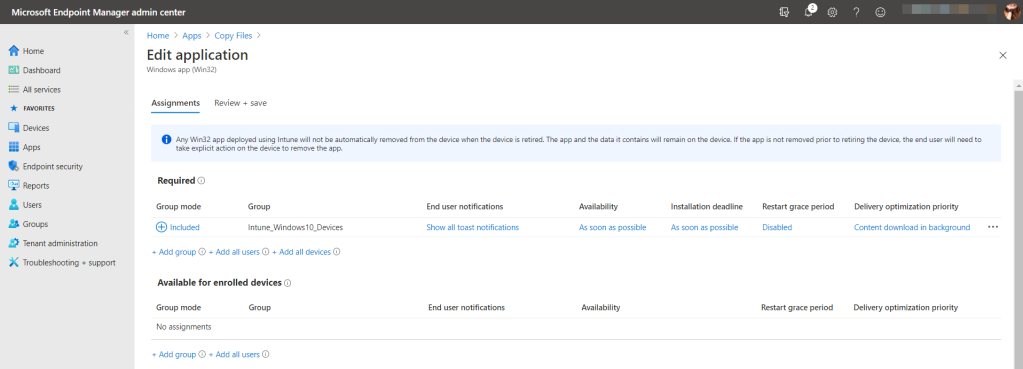
Sync the managed device from the Endpoint Manager console and wait for the files to populate on the location.

Credits to Cloudelly
https://cloudelly.com/2020/12/11/copy-files-to-windows-10-devices-using-microsoft-endpoint-manager/