
Overview
In Microsoft SCCM (ConfigMgr), administrators may encounter situations where client heartbeat status appears outdated or incorrect in the console, even though the devices are actively communicating with the Management Point.
A quick and effective workaround in such cases is executing the SQL stored procedure:
EXEC CH_syncClientSummaryThis article explains when and why to use this command, and what it actually fixes.
Problem Scenario
You may observe the following:
- Devices show old or stale “Last Heartbeat Discovery” values
- Policy requests are current, but the heartbeat appears outdated
- Multiple devices are impacted
- No obvious client-side issues
This creates confusion, especially when validating client health.
Root Cause
This behaviour is typically not a client issue.
Instead, it is caused by a delay in SCCM summarisation processes, where:
- Raw client data (DDR / heartbeat records) exists in the database
- But the summary tables used by the SCCM console are not updated
As a result, the console displays outdated information.
Solution: Force Client Summary Synchronisation
You can manually refresh the summary data using the following SQL command:
EXEC CH_syncClientSummaryThe guide below demonstrates how to configure the recurring job using the GUI in SQL Server Management Studio (SSMS), based on the configuration shown in the screenshots, to enable periodic manual summary synchronisation.
Step 1: Connect to the Correct SQL Instance
- Open SSMS
- Connect to your SCCM SQL Server (e.g.,
SCCM) - Ensure your SCCM database (e.g.,
CM_ICC) is present
Step 2: Navigate to SQL Server Agent Jobs
- In Object Explorer
- Expand SQL Server Agent
- Expand Jobs
You should see existing jobs.
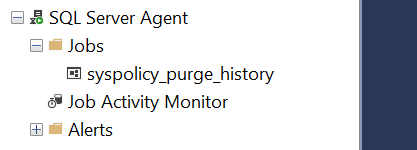
Step 3: Create a New Job
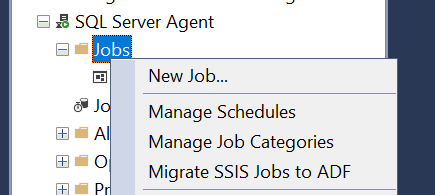
Right-click Jobs → New Job
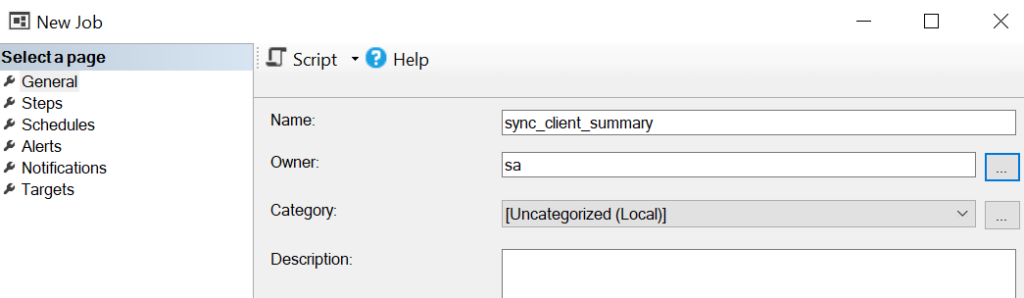
Under General tab:
- Name:
sync_client_summary - Owner:
sa(or appropriate service account) - Category can remain default
Step 4: Configure Job Step
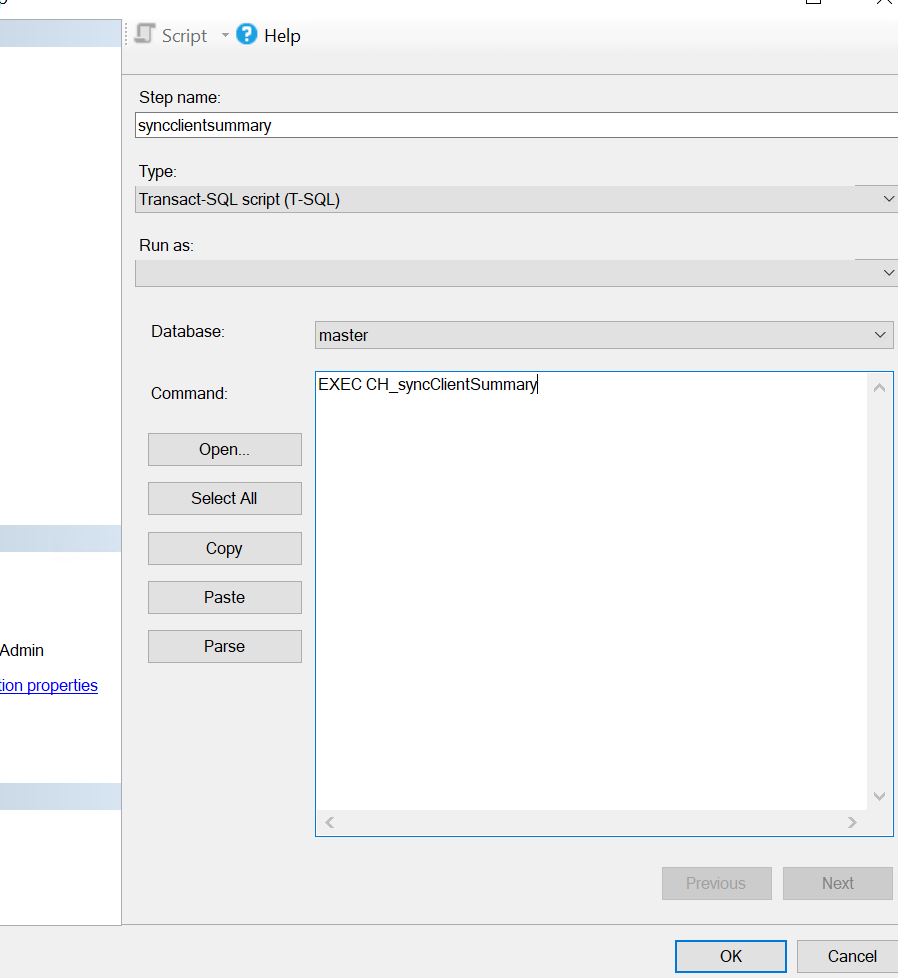
Go to Steps → New
Fill in:
- Step name:
syncclientsummary - Type: Transact-SQL script (T-SQL)
- Database: Your SCCM DB (e.g.,
CM_GGN) - Command:
EXEC CH_syncClientSummaryClick OK
Step 5: Configure Schedule
Go to Schedules → New
Set the following:
- Name:
sync_client_summary - Schedule type: Recurring
- Enabled: Checked
Frequency:
- Occurs: Weekly
- Recurs every: 1 week
- Select:
- Monday
- Tuesday
- Wednesday
- Thursday
- Friday
Daily Frequency:
- Occurs every: 6 hours
- Starting at: 12:00:00 AM
- Ending at: 11:59:59 PM
Duration:
- Start date: (as required)
- No end date
This results in execution at:
- 12 AM, 6 AM, 12 PM, 6 PM (Mon–Fri)
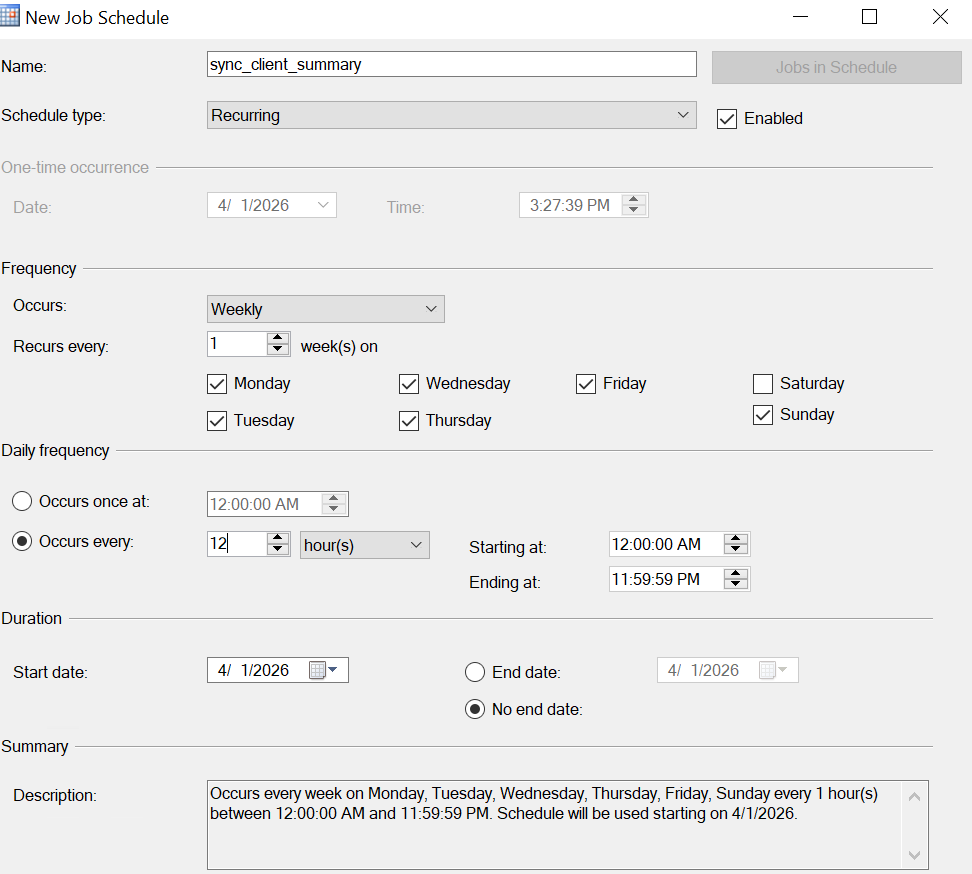
Note: Schedule can vary based on your requirements.
Step 6: Save and Verify
- Click OK to save the job
- Verify under:
- SQL Server Agent → Jobs
You should now see:
sync_client_summarylisted and enabled
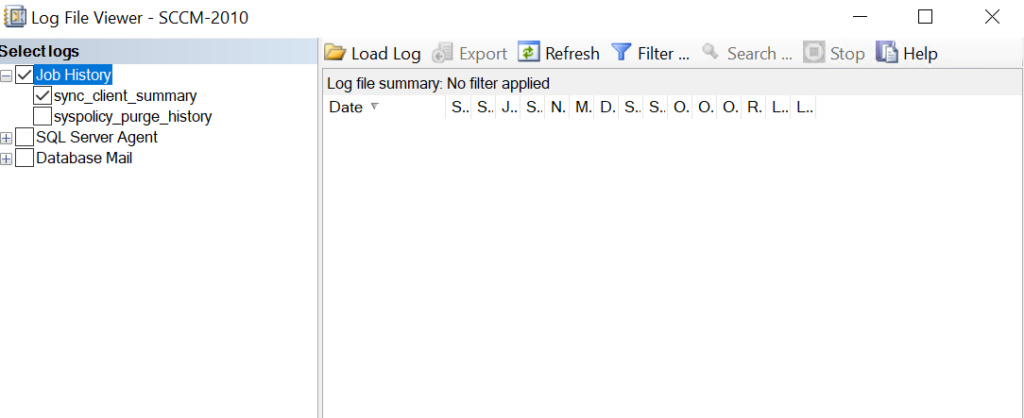
Step 7: Test the Job
- Right-click the job
- Select Start Job at Step
- Check Job History to confirm successful execution
What This Does
- Triggers client summary data synchronisation
- Updates heartbeat-related fields in the SCCM console
- Reflects the latest client activity
Important Considerations
- Ensure SQL Server Agent service is running
- Verify that the correct SCCM database is selected in the job step
- Ensure the account has permission to execute stored procedures
- It does not fix client-side heartbeat issues
- It only refreshes reporting and summarisation data
If you frequently need to run this command, investigate:
- SQL Server Agent job status
- SCCM summarisation components (
statmgr.log) - State message processing backlog
- SQL performance and indexing
When to Use This
Use this method when:
- Heartbeat data appears outdated across multiple devices
- You have verified that clients are active and communicating
- You suspect a summarisation delay
When Not to Use
Do not rely on this command if:
- Clients are actually offline
- DDR or heartbeat discovery is not running on clients
- There are communication issues with the Management Point
Conclusion
Using SQL Server Agent GUI to schedule CH_syncClientSummary provides a simple and effective way to maintain accurate client heartbeat status in SCCM. However, consistent reliance on this approach indicates an underlying issue that should be addressed for long-term stability.